UpdateStar Drivers9.0
Publisher Description
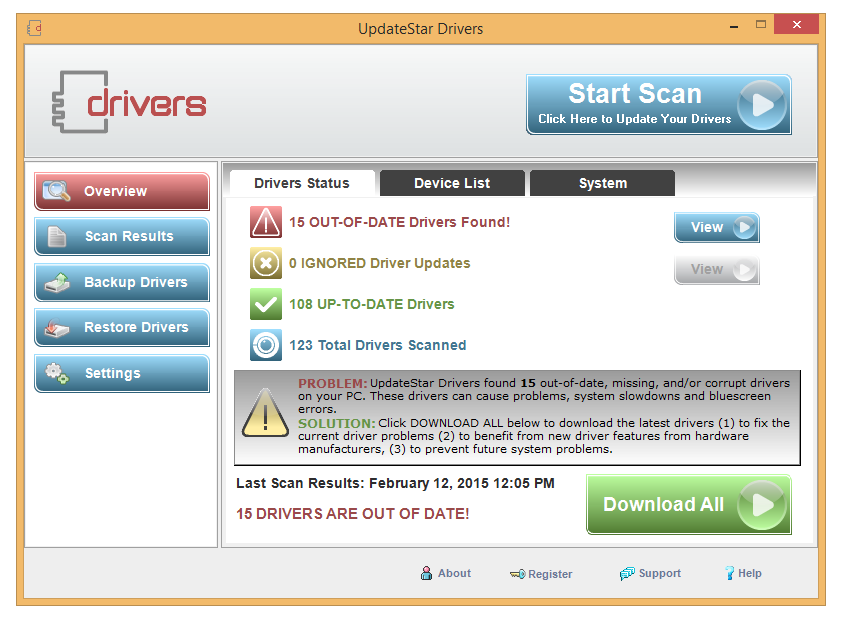
97% of all computer problems are caused by missing, corrupt or outdated device drivers. To solve these problems, you most likely need to download new device drivers. However, not just any driver will do. You need device drivers that suit your computer's model and your operating system. UpdateStar Drivers accurately scans your computer, compares drivers, provides updates and auto-installs drivers to fix your computer. UpdateStar Drivers lets you enjoy 100% safe and secure driver updates.
UpdateStar Drivers optimizes your computer performance and experience with a powerful driver management. Device drivers are software programs that communicate between your PC and your hardware devices. It is important that you use only the most recent drivers on your computer.
It lets you update, backup and restore drivers automatically. UpdateStar Drivers analyzes your system drivers and recommends available drivers for your system. Our driver database contains tens of thousands of device drivers for hardware devices such as motherboards, web cams, printers, video cards, sound cards, network cards, modems, monitors, keyboards, and many more.
About UpdateStar Drivers
This System Maintenance program is available in English, Dutch, French, German, Spanish. It was last updated on 29 September, 2026. UpdateStar Drivers is compatible with the following operating systems: Windows.
The company that develops UpdateStar Drivers is UpdateStar. The latest version released by its developer is 9.0. This version was rated by 11 users of our site and has an average rating of 4.9.
The download we have available for UpdateStar Drivers has a file size of N/A. Just click the green Download button above to start the downloading process. The program is listed on our website since 2016-11-17 and was downloaded 1,061 times. We have already checked if the download link is safe, however for your own protection we recommend that you scan the downloaded software with your antivirus. Your antivirus may detect the UpdateStar Drivers as malware if the download link is broken.
How to install UpdateStar Drivers on your Windows device:
- Click on the Download button on our website. This will start the download from the website of the developer.
- Once the UpdateStar Drivers is downloaded click on it to start the setup process (assuming you are on a desktop computer).
- When the installation is finished you should be able to see and run the program.
Program Details
System requirements
Download information
Pricing
Version History
version 9.0
posted on 2016-11-17
Minor enhancements and bug fixes
version 4.0.0
posted on 2010-12-09
Version 1.3
[ + ] Preview option is greatly improved
[ + ] Added preview of the selected range
[ + ] An opportunity to select range in the media file made more accurate
[ + ] GUI improved
